Belltower Wardogs
$4.99
- Recommended: make sure you're on the latest windows version Make sure your GPU Driver is up to date Disable Discord Overlay / Nvidia Overlay / Shadowplay / ReShade / Overwolf Uninstall Riva Tuner if you have it installed Uninstall FaceIT AC if you have it installed Don't use a Custom OS Windows App Scaling = 100%
Adjustable targeting with hitbox control.
- Enable / Disable Aim Lock
- Target Bone Selection
- Aim Style
- Smooth Aim
- Adjustable Smoothness
- Ballistic Prediction
- Movement Prediction
- Bullet Drop Compensation
- Use Weapon Ballistics
- Target Lock Indicator
- Aim at Enemies
- Aim at Teammates
- Visible Targets Only
- Adjustable Maximum Distance
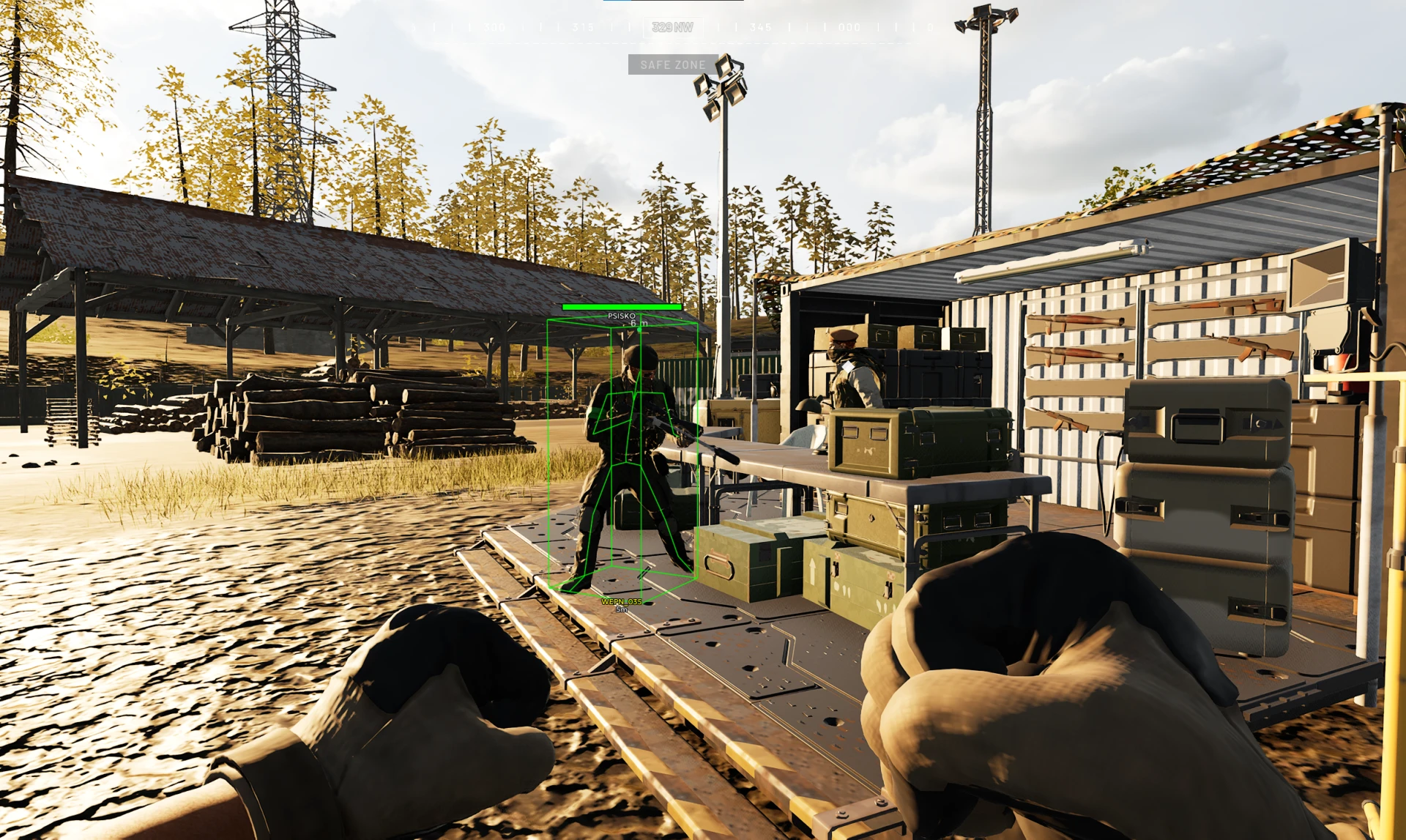
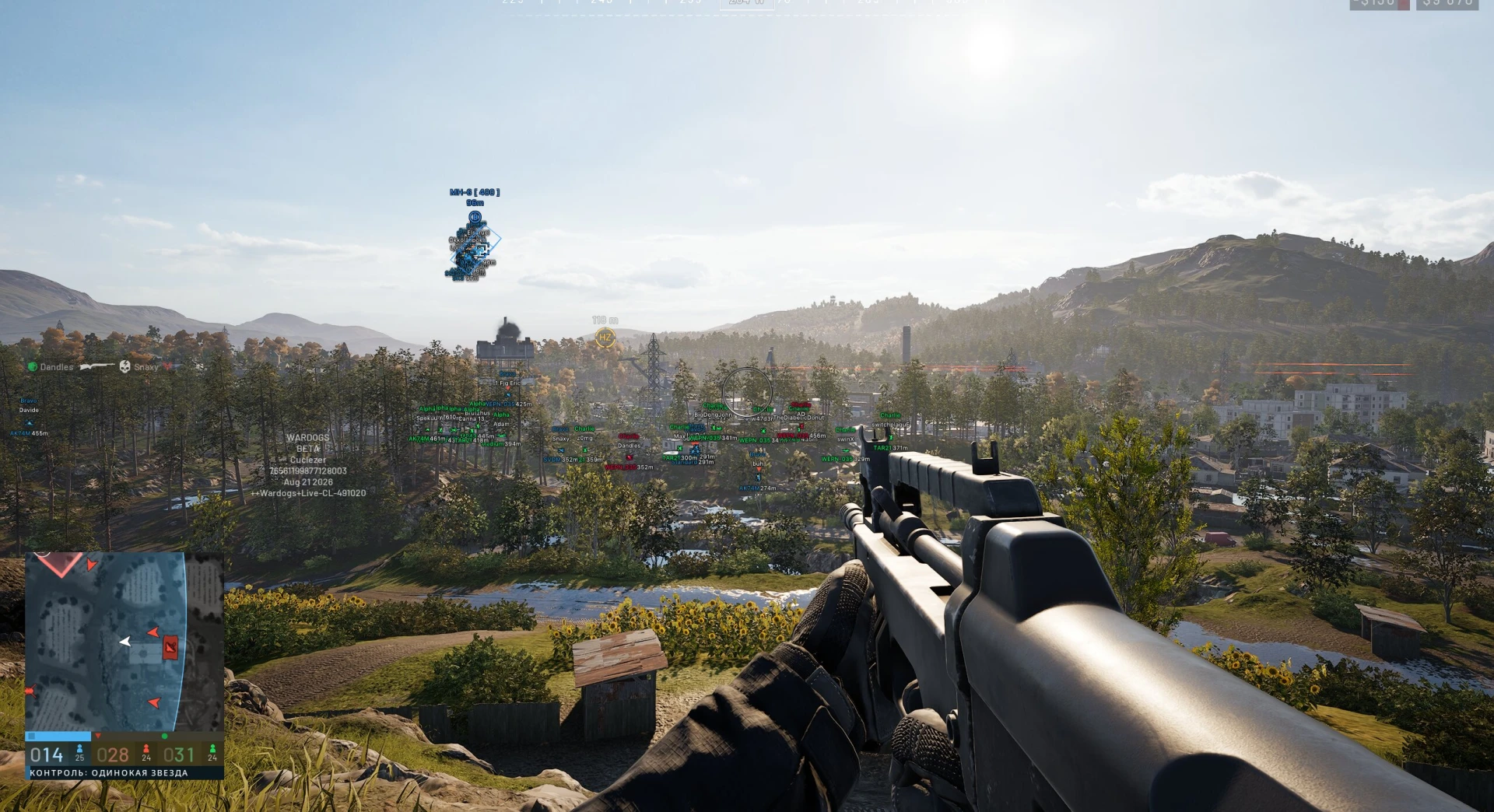
Player box, skeleton and distance visuals.
- Enable / Disable Player ESP
- Bounding Box Style
- Snap Lines
- Player Name
- Distance Indicator
- Health Bar
- Adjustable Health Bar Position
- Health Percentage
- Configurable Health Bar Distance Limit
- Skeleton Overlay
- Direction Indicator
- Head Dot
- Adjustable Head Dot Radius
- Held Weapon
- Enable / Disable Object ESP
- Distance Display
- Adjustable Maximum Distance
- Cars
- Helicopters
- Supply Crates
- Bags
- Loot
Real-time map awareness and player tracking.
- Enable / Disable Radar
- Adjustable Radar Size
- Adjustable Detection Range
- Draggable Radar Position
- Visual Style Show / Hide Radar Header
- Show / Hide Radar Border
- Display Background
- Cardinal Lines
- Adjustable Line Opacity
- No Sway
- No Recoil
- No Spread
Configuration management and overlay controls.
- Crosshair
- On-Screen Information
- FPS Counter
- Resolution Display
- Current Time
- Player ESPCustomize colors for:
- Enemy
- Visible Enemy
- Teammate
- Visible Teammate
- RadarCustomize colors for:
- Background
- Border
- Center Marker
- OverlayCrosshair Color
- Additional Overlay Colors
Profile saving and configuration management.
- Multiple Configuration Profiles
- Refresh Profile List
- Save Profile
- Load Profile
- Reset Profile
What is Belltower Wardogs for wardogs?
Belltower for WARDOGS is the internal build. It runs inside the game process rather than outside it, which buys smoother rendering and a more capable aimbot — and costs you the main advantage external builds have against kernel-level anti-cheat.
This is the enthusiast option, and it is the wrong first purchase on this title. WARDOGS pairs kernel-level Easy Anti-Cheat with behavioural detection, and a detection ends the match for all 100 players the moment it lands.
Rendering and visuals
- In-process rendering, so ESP is frame-synced with no overlay lag at high player counts
- Full skeleton ESP that stays accurate through animation and vehicle transitions
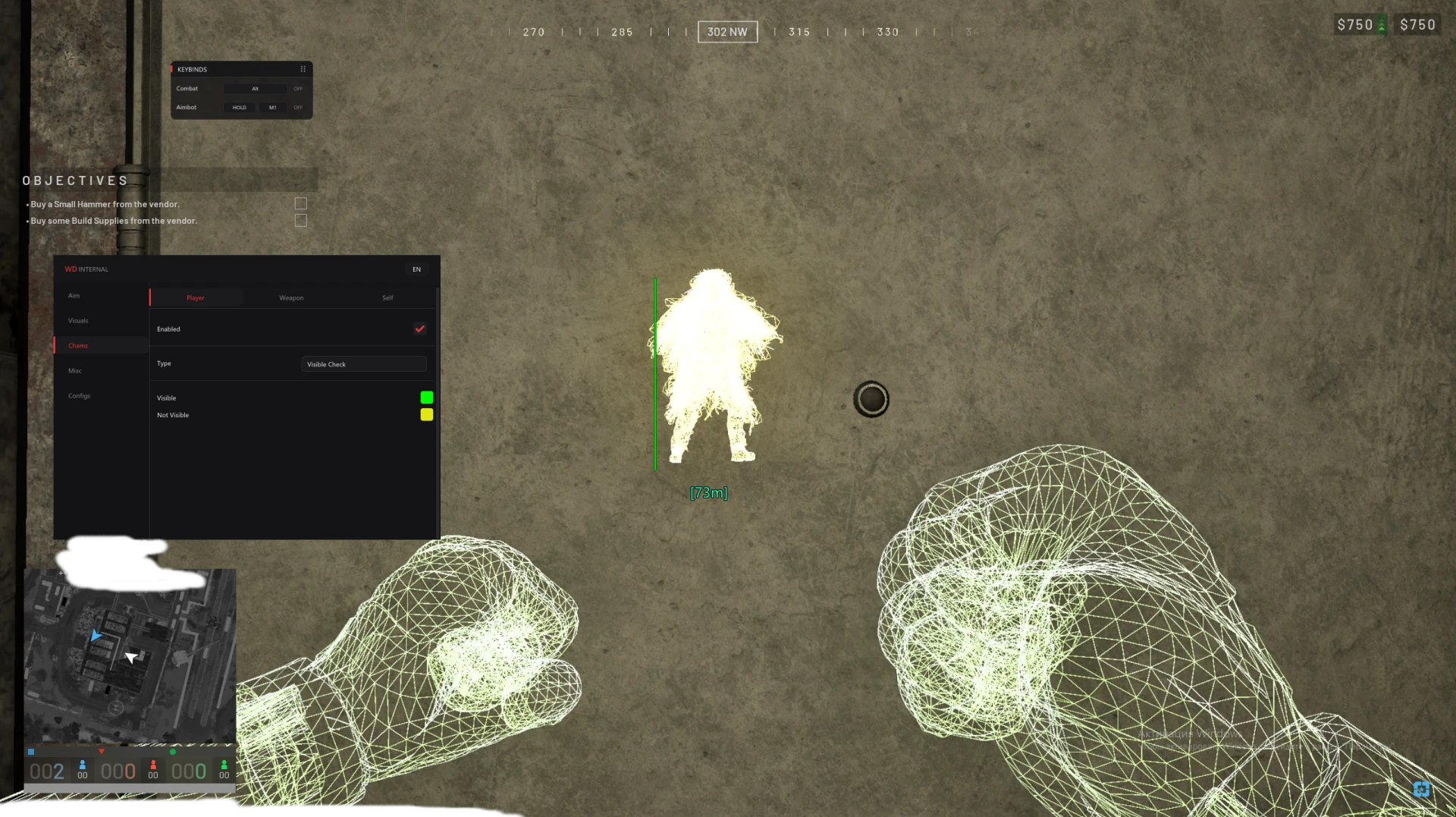
- Chams with configurable visibility states
- Cleaner performance in dense zone fights than an external overlay can manage
Aimbot
- Memory-level target resolution with tighter tracking than an external build
- Full hitbox selection with per-bone priority
- Prediction that accounts for target velocity and vehicle movement
- Visibility checks and smoothing — both worth more here, not less
Quality of life
- Profile system with per-map presets
- Streamproof rendering
- Configurable menu key
Detection risk and anti-cheat
This is the honest part. An internal build attaches to the game process, which is exactly what kernel-level Easy Anti-Cheat is designed to inspect. It is a genuinely higher-risk architecture than the two external builds, and no amount of bypass work makes that untrue.
The behavioural layer applies on top of that, not instead of it. A stronger aimbot used at stronger settings is more visible to Elytra, not less.
WARDOGS ends the match for all 100 players when it detects someone. Combined with an internal build, that means a detection is both more likely and immediately public. Run this on an account you would genuinely be content to lose.
Live detection status for every product is on the status page, and how detection actually works is covered in our anti-cheat explainer.
System requirements
- Windows 10 or 11, 64-bit
- Secure Boot disabled
- Steam copy of WARDOGS
- Administrator rights to launch the loader
- Setup is stricter than the external builds — follow the guide exactly
When to choose Belltower Wardogs
- You have run internal builds before and understand the trade you are making
- You want the smoothest visuals and the most capable aimbot available for this title
- You are playing on an account with nothing attached to it
When something else is the better buy
- Ancient Wardogs is the sensible default: external, information-first, conservative defaults. Start here if this is your first WARDOGS build.
- Arcane Wardogs is the other external option and predicts better at long range.
- If you care about keeping the account or its carried-over cash balance, buy an external build instead. That is the honest recommendation for most people on this game.
Frequently asked questions
Is an internal build riskier on WARDOGS?
Yes, materially. Internal builds run inside the game process, which is what kernel-level Easy Anti-Cheat exists to inspect. External builds stay outside it. That difference is real and we would rather say so than sell you the more expensive option quietly.
Why choose it at all then?
Rendering quality and aimbot capability. In-process ESP is frame-synced and stays accurate through animations and vehicle transitions, and the aimbot resolves targets more precisely than an external build can. If those matter more to you than the account, it is a reasonable trade knowingly made.
What happens if it gets detected mid-match?
The match ends for all 100 players and everyone returns to the menu. Others keep their XP and cash and are refunded. You lose the account and the cash balance carried on it.
Should I use my main account?
No. Not with this build, and arguably not with any build on this title while enforcement is still being designed during Early Access.